Licensing for crypto exchanges

Turn every trader on your exchange into more futures volume.

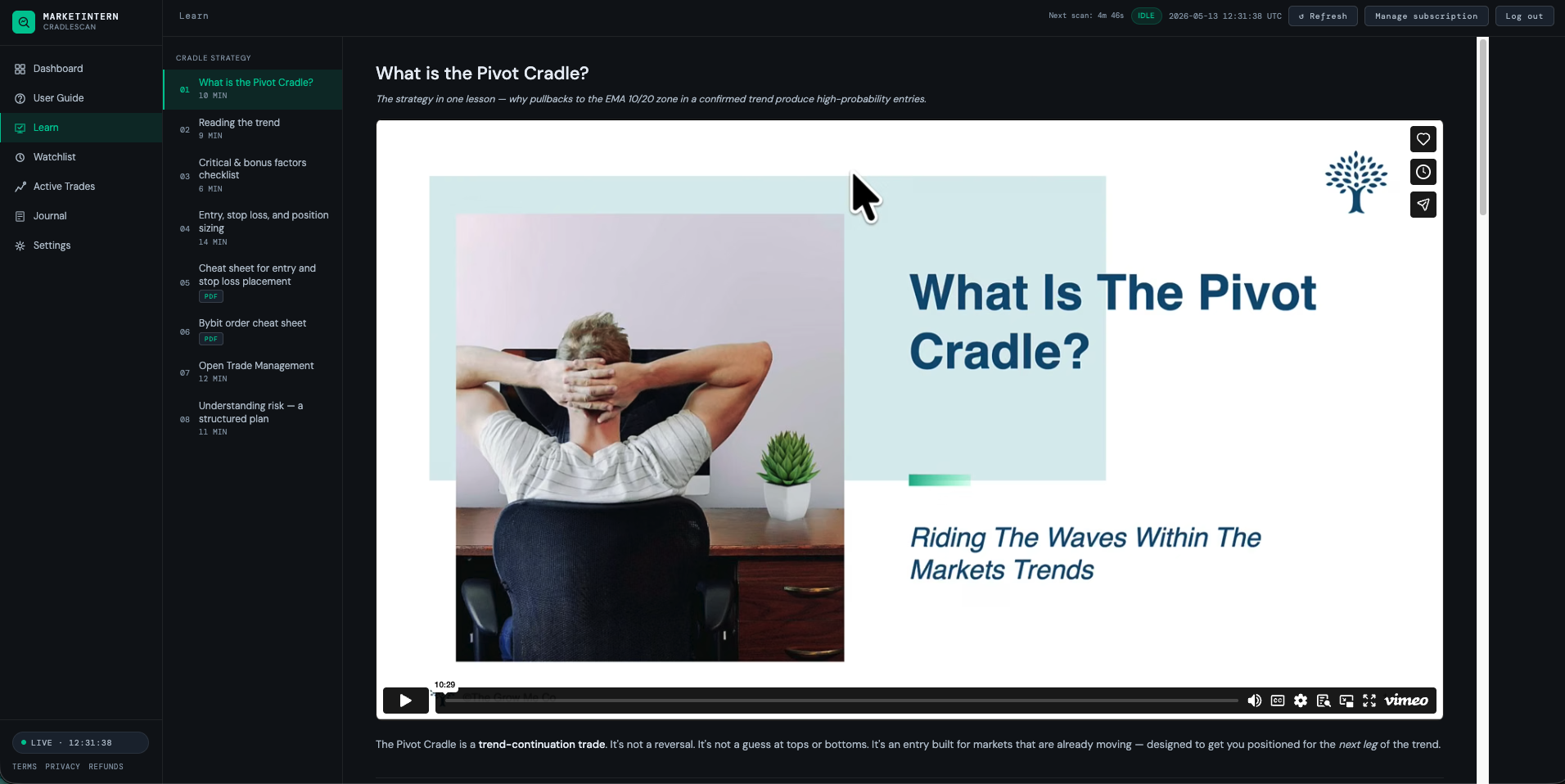
MarketIntern is a your-branded 24/7 trade-setup scanner and trader tutorial on your own price feed. It gives every trader who opens it — new signups, active traders, and long-idle accounts alike — a clear, repeatable reason to place the next trade, executed on your exchange. A flat-fee software license: you keep 100% of the volume.

Prefer email? partnerships@marketintern.co — Craig replies directly.
A software utility — not advice, not execution. Live in ~2 weeks.
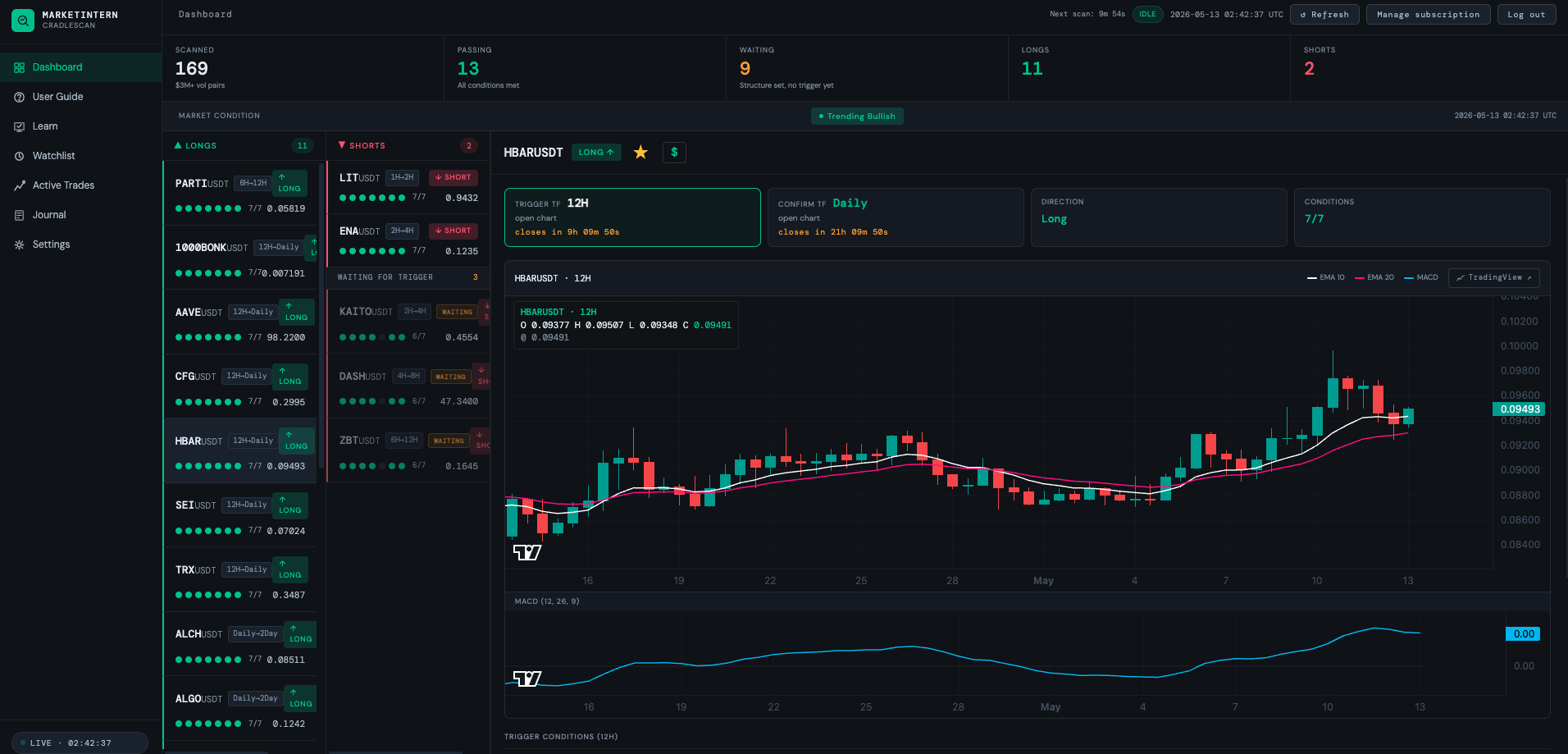
app.marketintern.com — your-branded scanner · live setups · your price feed · one click to the chart
MarketIntern scanner dashboard
Latent volume, across your whole book

Every account is volume waiting to happen.

New signups, active traders, and millions of funded-but-idle accounts all have room to trade more. MarketIntern lifts all three — whoever opens it gets a reason to place the next trade. It just makes sense to start with the dormant book: a silent account going from zero to trading is a volume increase you can measure to the dollar.

Dormant — the easy win

Funded accounts that went quiet. The clearest place to start: zero-to-trading is unmistakable, dead-simple volume to measure.

Active — more of what they do

Traders already on your book see more qualified setups and place more trades. Pure incremental volume, no acquisition cost.

New — a reason to fund

A tool worth opening an account for, beyond a bonus — and a reason to make that first trade once they have.

One nuance we plan around: dormant accounts are the easiest to measure but the hardest to reach — they're not watching. So a rollout puts it in front of active traders too, where uptake is fastest, and lets the measurable dormant lift prove the case.

What it is

An engine that creates trades — on your exchange.

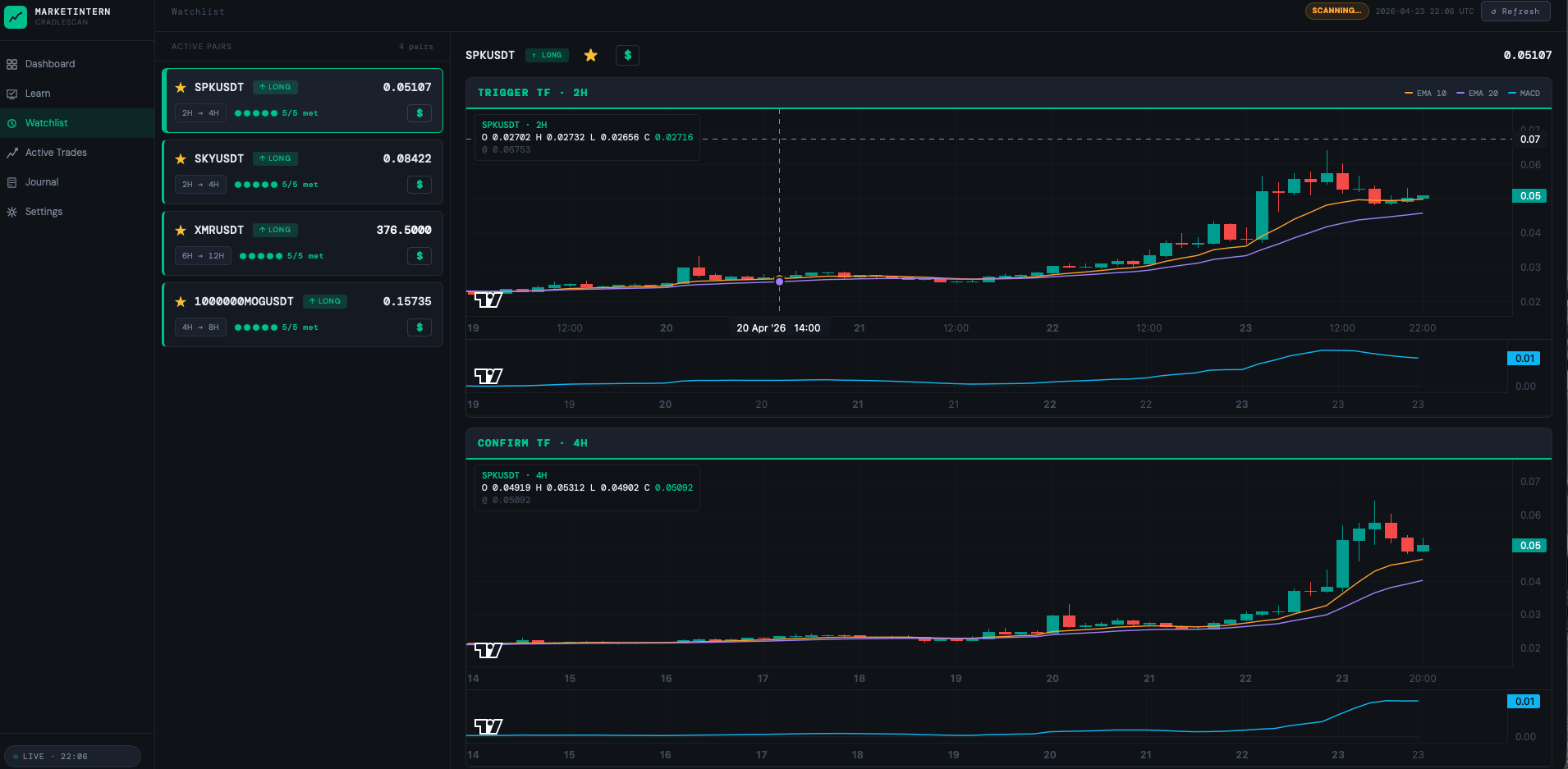
MarketIntern checks every perp you choose, around the clock, and surfaces only the setups that pass a strict 7-of-7 checklist — then teaches traders how to use them. Pull-based: the trader opens the app and looks. Nothing is pushed.

  1. License it, branded to you

    Your logo, your colours, your price feed. Live in about two weeks.

  2. Traders see high-conviction setups

    Every perp scanned every 15 minutes; only 7/7 setups shown, with the tutorial that explains them.

  1. The setup becomes a trade

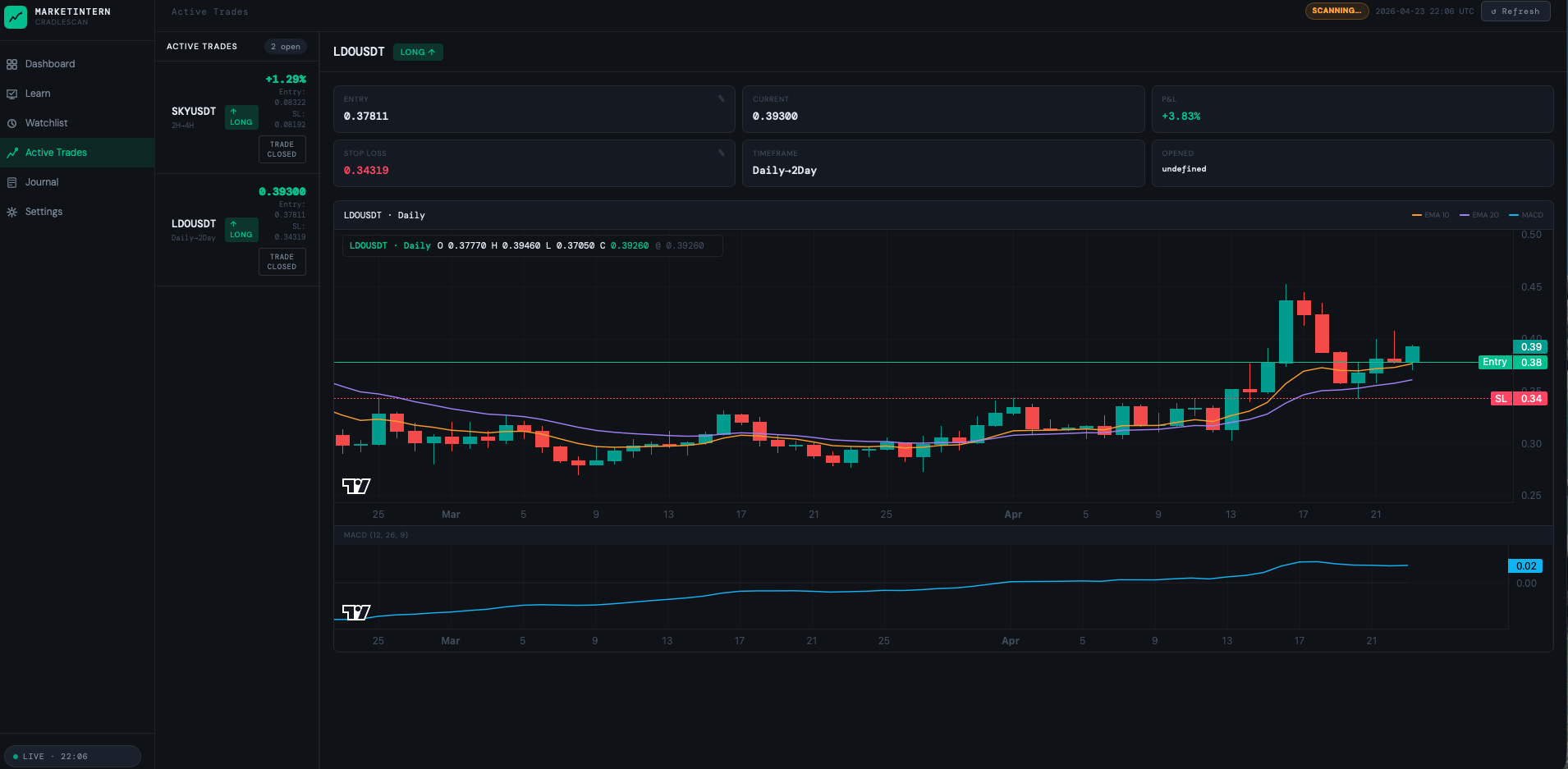
    One click takes the trader from the signal to the chart — the order is placed on your exchange.

  2. You keep 100% of the volume

    No revenue share, no per-trade clip. Optional API integration turns each setup into one-click execution.

live signal — trigger TF · confirm TF · direction · conditions 7/7 · one click to the order
MarketIntern live signal card
Compliance & flexibility

Two ways to run it — you choose where it sits.

Same engine, your regulatory call. MarketIntern scans every market on your feed and we shape the delivery to your compliance line — nothing about it needs to read as advice.

Option A · maximum activation

Full MarketIntern — scanner + tutorial

Surfaces the 7/7 setups and teaches the strategy behind each one — the education layer that turns a setup into a trader who understands why they're taking it. The strongest version for activating fresh funded accounts.

Option B · lightest-touch

Trend-Finder — pure market scanner

Strip the strategy teaching out entirely: it simply surfaces which of your markets are trending — a discovery and time-saving utility. No strategy, no education, nothing that reads as advice. A scanning tool, not a strategy.

Why it works either way

Most individual investors already read markets through technical analysis.

They just don't have time to scan every market by hand. Either version does the trend-scanning across your whole book for them — so traders spend their time deciding where to trade, not hunting for it. More time trading means more volume on your exchange.

Four levers, one tool

What your exchange gets.

It delivers volume for whoever uses it — dormant, active, or brand-new. Same tool, every segment of your book.

01

Opens accounts

A tool worth funding for — a reason to deposit beyond a one-off bonus.

02

Lifts volume

More qualified setups seen means more trades placed, on your books.

03

Reactivates the dormant book

Wakes funded accounts you already paid to acquire.

04

Internal copy account

Followers get high-conviction setups, but the "lead" is software you license — not an external trader on a rev-share. The margin stays yours.

From the traders who use it

The daily habit that becomes your volume.

Retail traders already lean on MarketIntern to do the legwork — the exact engagement an exchange turns into trading volume. In their words:

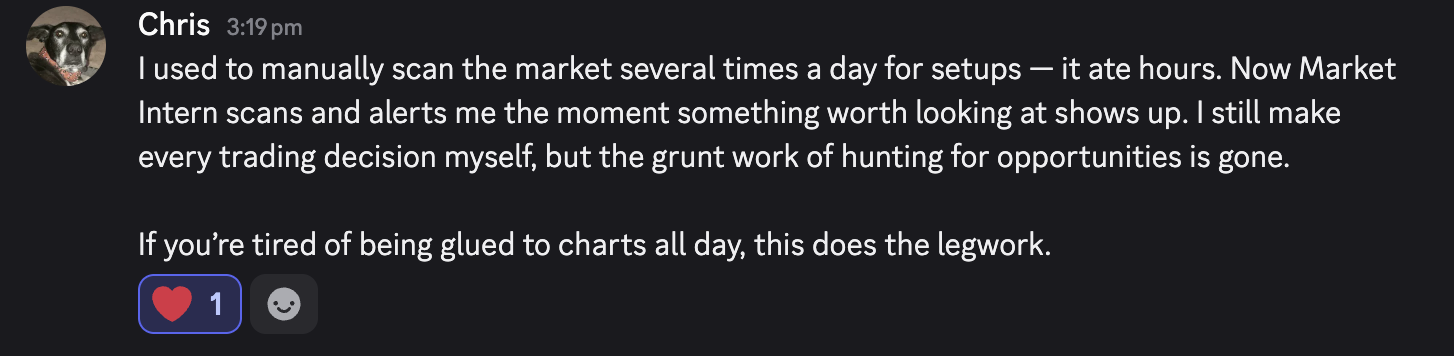
Message from a MarketIntern user, Chris: the tool does the legwork — I still make every trading decision myself
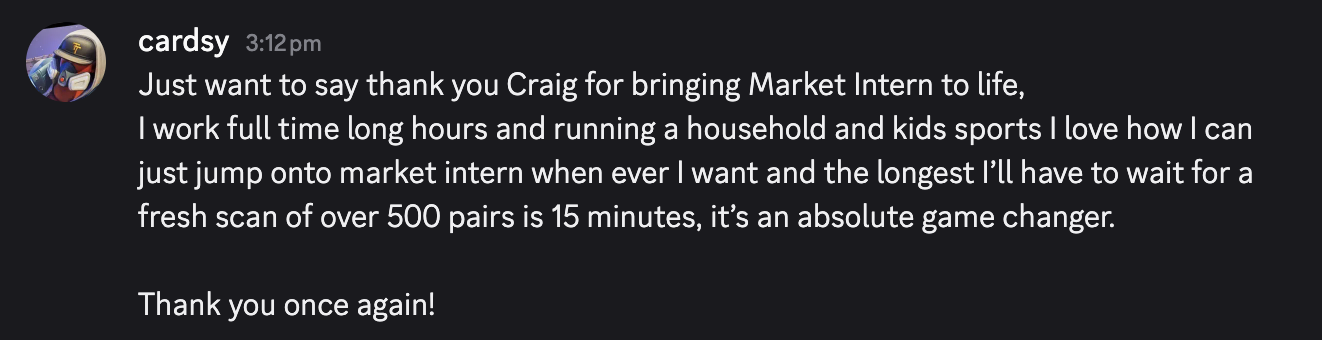
Message from a MarketIntern user, cardsy: a fresh scan of over 500 pairs in 15 minutes — an absolute game changer

Real, unedited messages from MarketIntern users. Utility feedback only — no performance or earnings claims.

The model

A flat software license. You keep everything above it.

How you pay

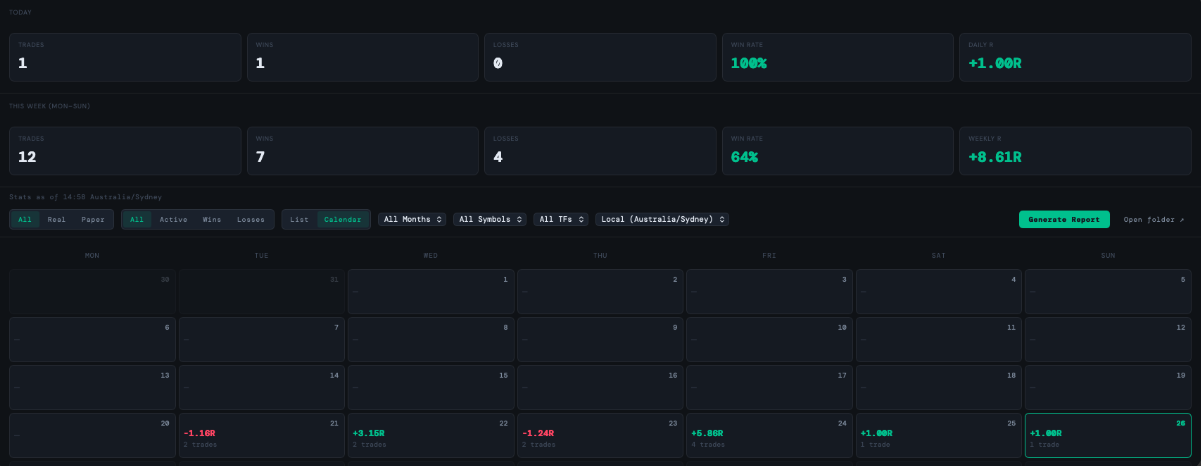
A flat monthly license, scoped to your exchange's size — no revenue share, no per-trade clip. You keep 100% of the volume it creates.

The pilot

Starts as a 3-month minimum term. Volume reporting is included, so both sides see exactly what the tool drove.

Then what

Renew from real numbers on a 6-month term — a tiered license or a rev-share on the incremental volume attributable to MarketIntern.

De-risked by design

A utility that sits cleanly beside a regulated exchange.

MarketIntern is a software utility — not advice, not execution. It surfaces technical setups; traders place their own orders.

app.marketintern.com — your-branded scanner · live setups · your price feed
MarketIntern scanner dashboard
Book your call

See it running on your feed in 30 minutes.

Pick a time that suits — what it is, the four growth levers, and the economics against your own numbers. No slides you haven't asked for.

Prefer email? partnerships@marketintern.co — or open the booking page in a new tab.